Print MSG to PDF Easily | Top BitVare MSG to PDF Converter for macOS & Windows
In today’s digital workspace, managing email evidence, documentation, and long-term archiving has become a crucial part of communication workflows. Among different email formats, MSG files—commonly generated by Microsoft Outlook—are often difficult to open without Outlook itself. On the other hand, PDF files are secure, portable, universally accessible, and ideal for record-keeping or legal and professional use. As a result, many users search for a reliable way to know about how to convert MSG to PDF without Outlook on both Mac and Windows systems.
If you need a reliable, precise, and secure way to convert MSG files to PDF, the Batch MSG to PDF Export utility for Mac & Windows offers one of the most efficient and dependable solutions available. This blog provides a detailed, SEO-optimized guide to help you understand why MSG to PDF conversion with attachments is important, what challenges users face, and how MSG Converter solves them with ease and precision.
Why Convert MSG Files to PDF?
There are multiple reasons why users choose to move emails from MSG to PDF format –
- Universal Accessibility PDFs can be opened on any device—Mac, Windows, Linux, smartphones, and tablets—without requiring specific email clients.
- Ideal for Documentation & Legal Purposes – PDF maintains the integrity of the message content, making it perfect for presentations, audits, legal records, and compliance needs.
- Secure & Shareable Format – PDF supports password protection, restricted sharing, and encrypted viewing for sensitive information.
- Long-term Archiving – Since PDF is one of the most stable file formats, your email data remains accessible and preserved for years.
Because of these advantages, thousands of professionals—from lawyers to managers, administrators, IT users, and business teams—prefer storing MSG emails as PDF files.
Challenges in Exporting MSG to PDF Manually
Although you can attempt some manual workarounds, they come with big limitations –
- Outlook must be installed to open MSG files
- Manual “Print to PDF” is slow and impractical for bulk MSG files
- Attachments may not export properly
- Metadata and email structure may be lost
- Formatting inconsistencies may appear
These problems make manual conversion unreliable, especially for users who deal with hundreds or thousands of MSG files.
This is where a professional, automated solution becomes essential.
MSG to PDF Converter – The Most Reliable Tool for MSG to PDF Conversion
BitVare MSG Converter for Mac & Windows is designed to simplify and streamline the entire MSG to PDF migration process. Whether you are a technical expert or a regular user, the software offers a clean interface and powerful algorithms that ensure accuracy, speed, and complete migration without compromising email structure.


Top Features of Secure MSG to PDF Export for Mac & Windows
1. Convert MSG to PDF in Bulk – The software allows batch processing, enabling users to convert thousands of MSG files to PDF instantly.
2. Preserves Email Formatting & Metadata – It keeps –
- To, From, Cc, Bcc
- Date, time, and header details
- Hyperlinks, inline images, graphics
- Email body formatting
3. Save Attachments in Original Form – It ensures every attachment—documents, images, zip files—remains intact within the PDF or saved in a separate folder as per your preference.
4. Folder Structure Retention – If your MSG files are stored in organized folders, the tool maintains the hierarchy during export.
5. Dual Compatibility with Mac & Windows – Many migration tools support only Windows, but BitVare works seamlessly on –
- macOS Ventura, Monterey, Big Sur, Catalina
- Windows 11, 10, 8.1, 8, 7, and Server editions
6. Advanced PDF Naming Options -Choose custom naming patterns such as –
- Subject + Date
- From + Subject
- Auto-generated unique IDs
This makes searching and organizing exported PDFs easier.
7. Simple, Clean, User-Friendly Interface -Even non-technical users can perform conversions in just a few clicks.
8. No Outlook Required -You do not need Outlook installed to open or convert MSG files.
How to Convert MSG to PDF with Batch MSG to PDF Converter tool – Step-by-Step Guide
Here is the simplest way to export MSG emails into PDF with the MSG email migration tool –
Step 1 – Launch the MSG to PDF Tool
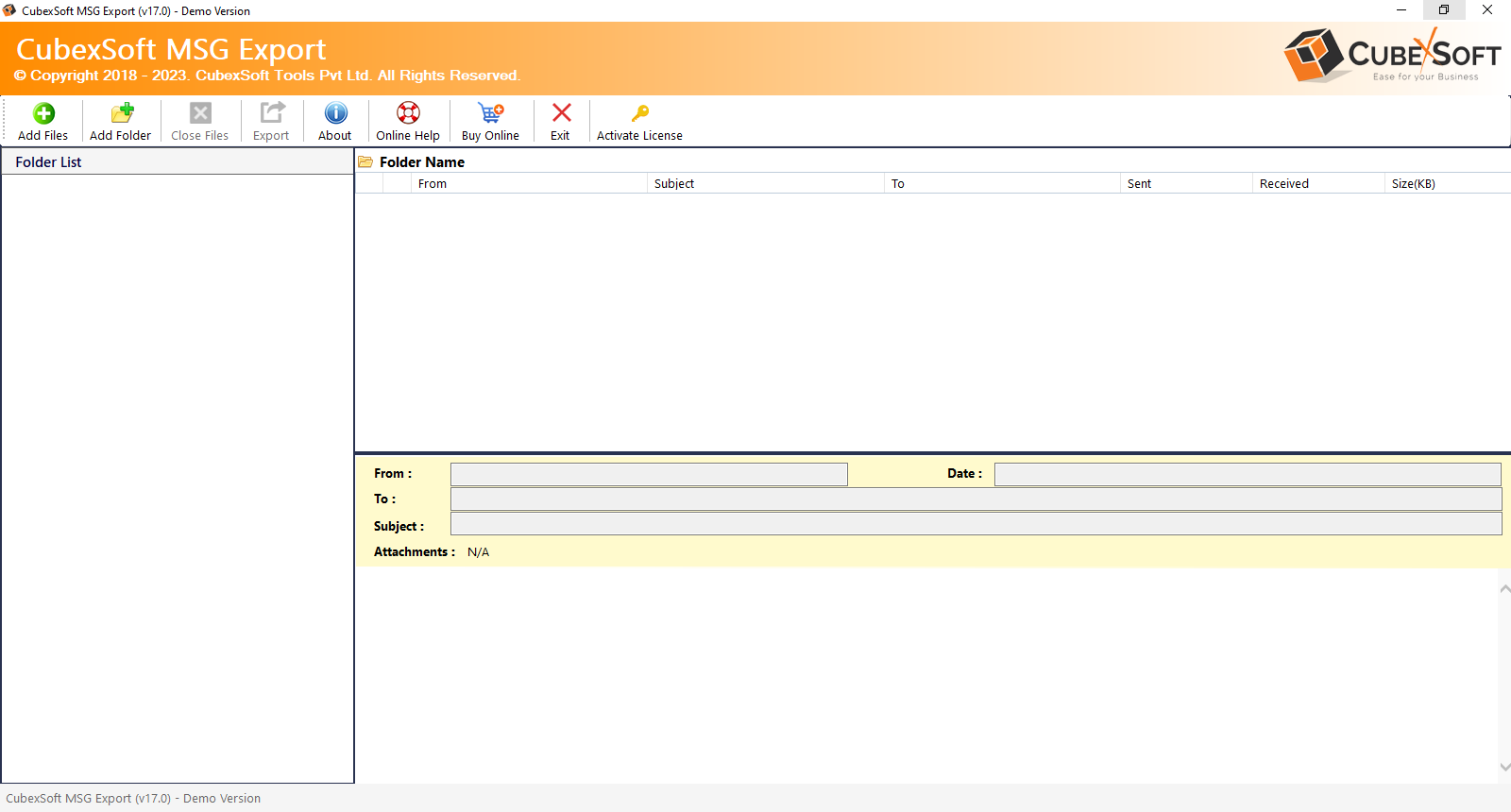
Step 2 – Add MSG Files or Folders
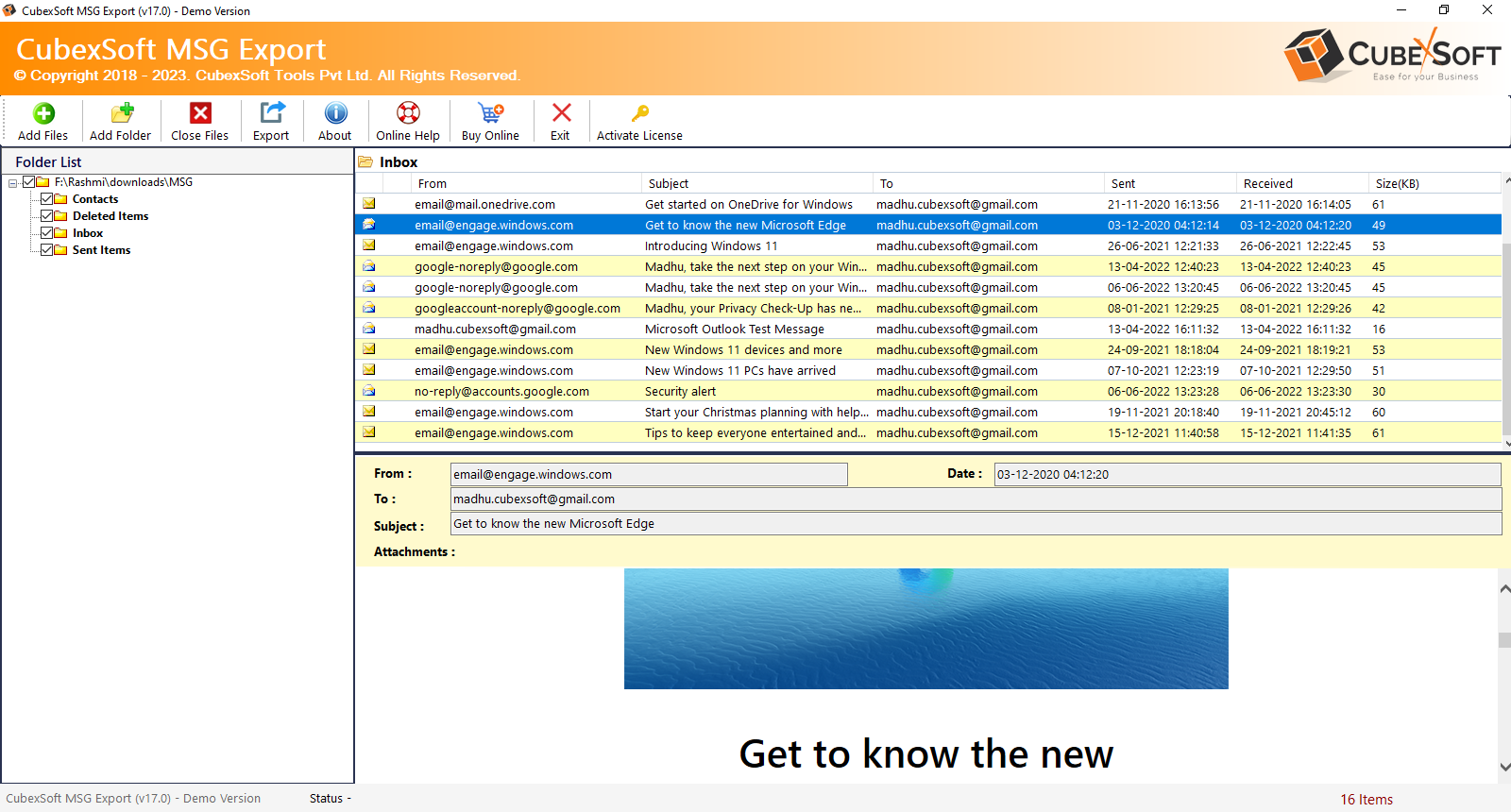
Step 3 – Select PDF as Output Format
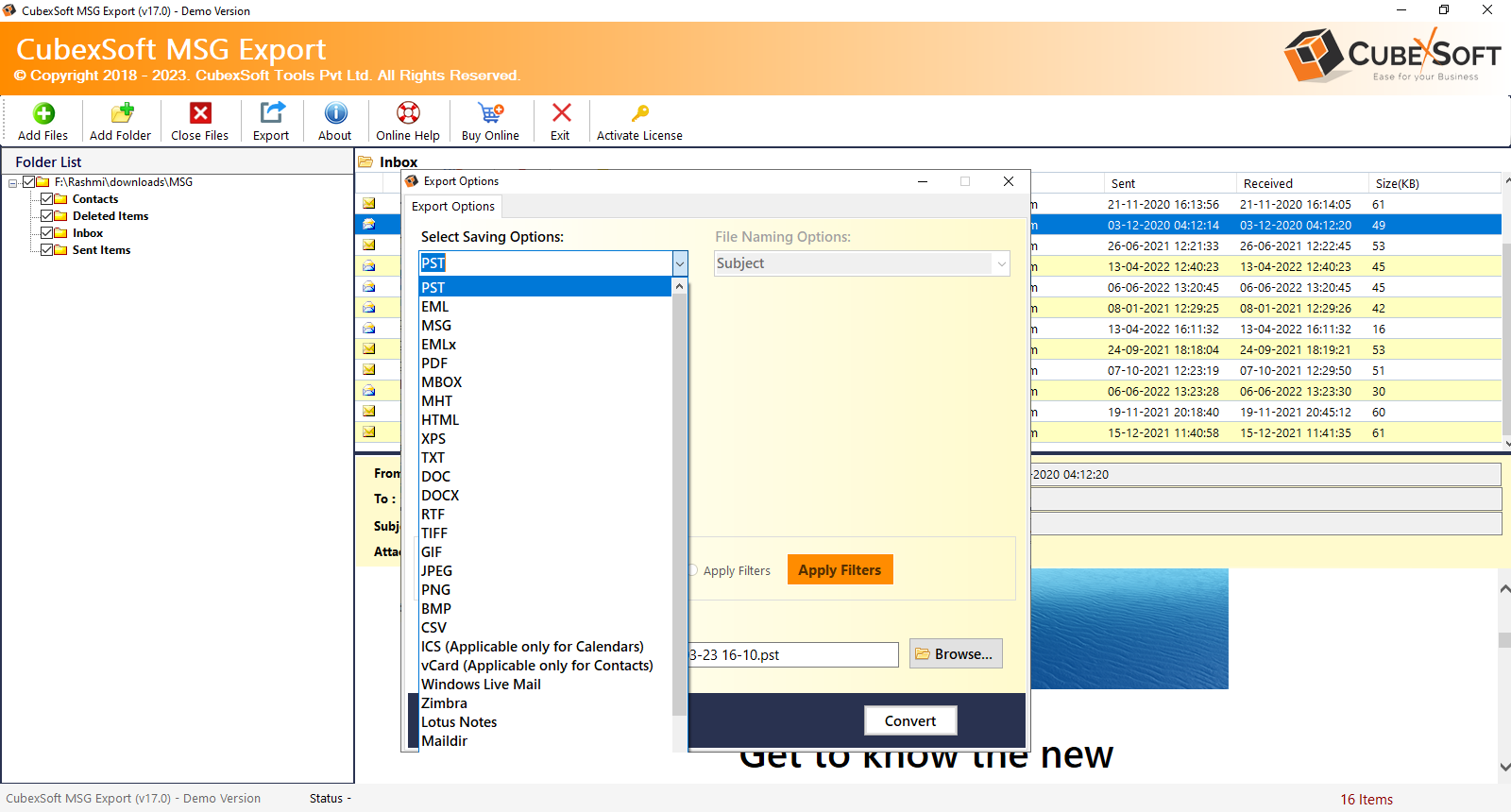
Step 4 – Apply Filters (Optional)
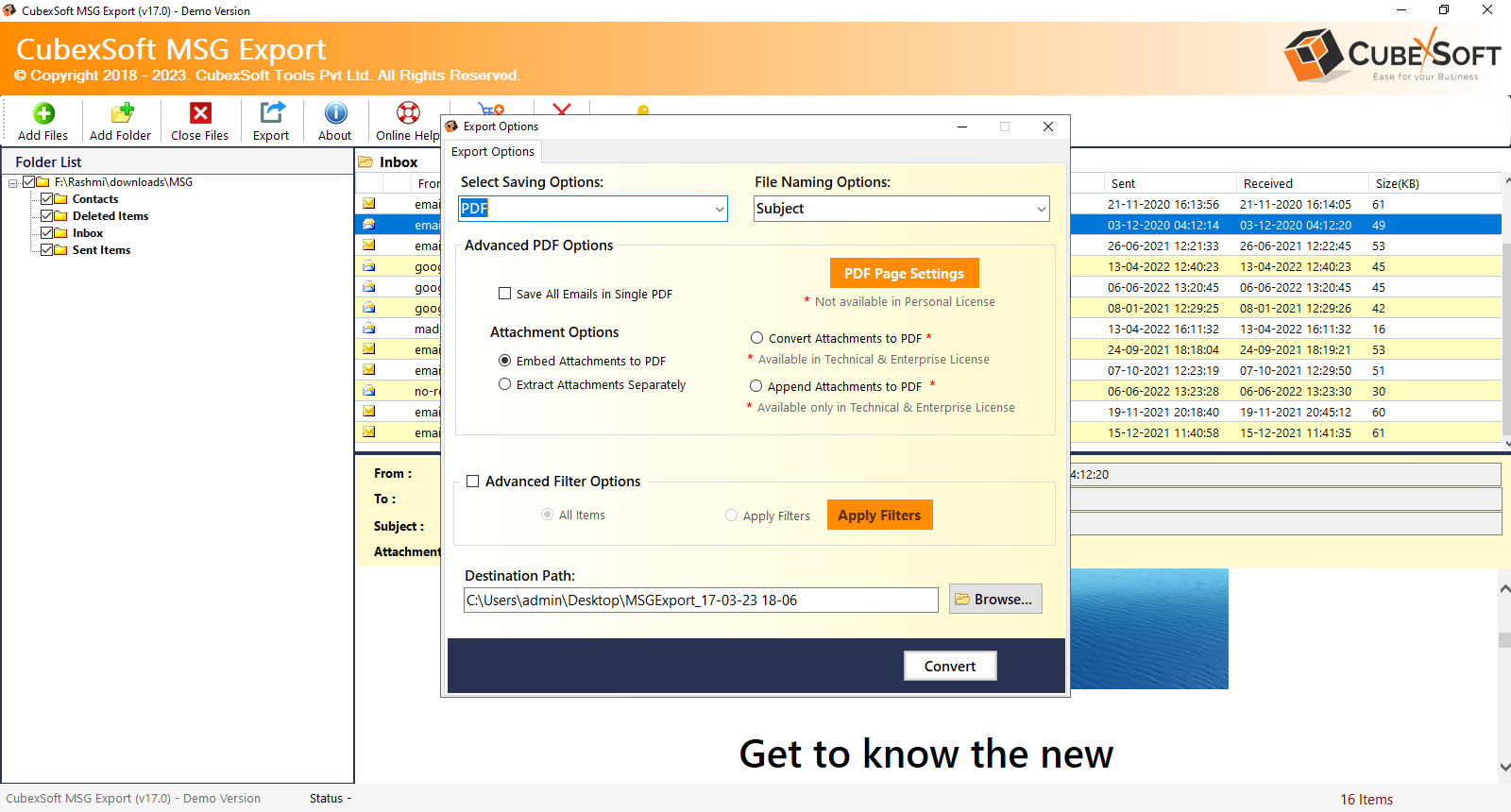
Step 5 – Choose Destination Path
Step 6 – Start Conversion
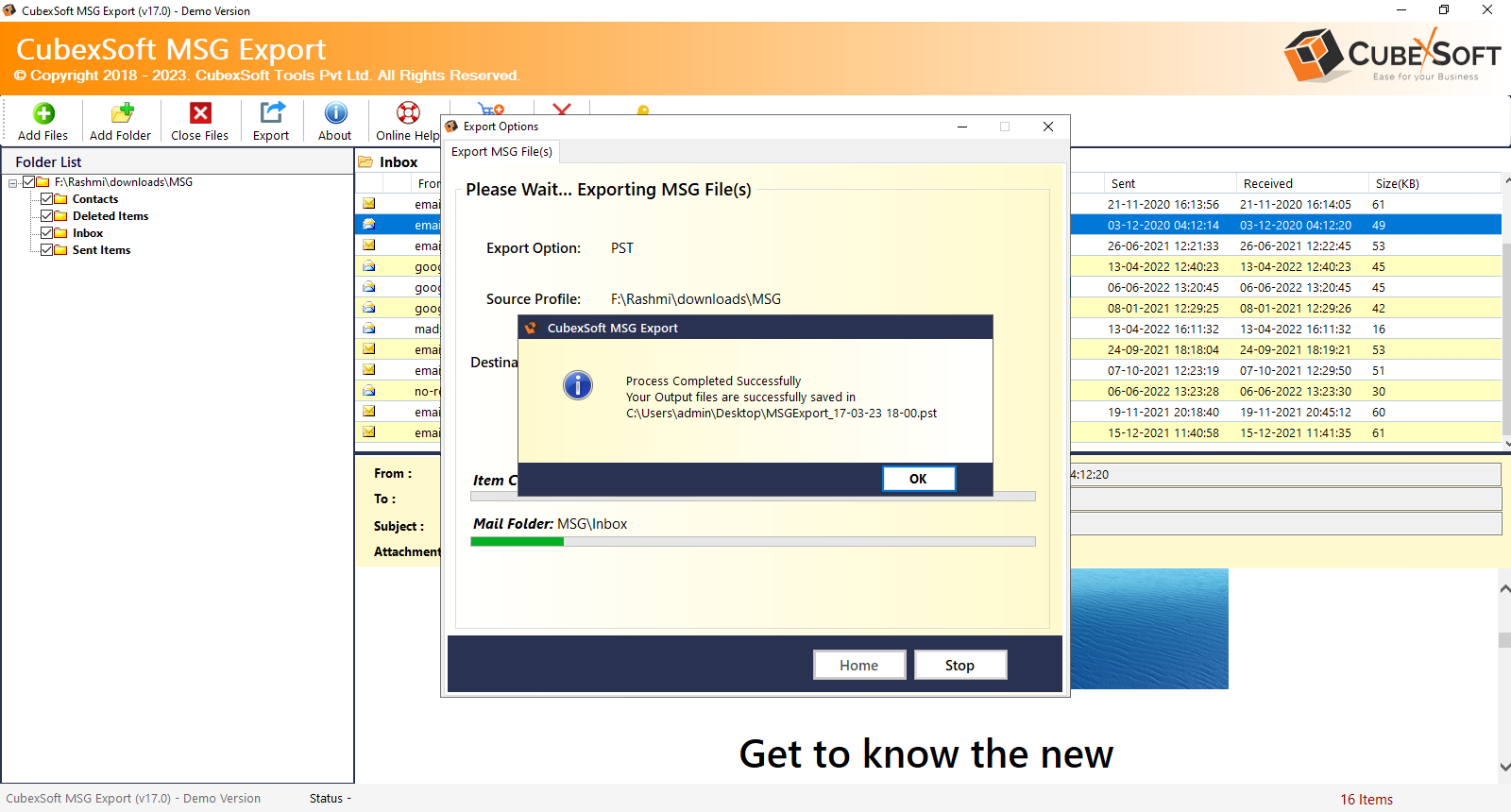
Within minutes, you’ll have your MSG files successfully transformed into professional PDFs.
Who Should Use the MSG to PDF Migration Tool?
This tool is perfect for –
- Legal professionals
- Corporate teams
- Office administrators
- Students & researchers
- IT departments
- Email archive managers
- Users switching from Outlook
Anyone who handles MSG files will benefit from this reliable conversion solution.
Why The MSG to PDF Tool is the Best Choice
Here’s what makes it a superior option –
- 100% secure and offline conversion
- No data loss
- Fast, efficient processing
- Supports unlimited MSG files
- Trusted by thousands of users worldwide
- Free demo available for testing
The demo version allows converting a limited number of MSG files—ideal for evaluating the tool before purchase.
Conclusion
Converting MSG files to PDF shouldn’t be complicated—and with the Outlook Migration to PDF for Mac & Windows, it no longer is. The tool offers a powerful, user-friendly, and dependable way to export MSG emails into PDF format with complete accuracy, preserved formatting, and full attachment support. Whether you need MSG to PDF conversion for legal documentation, business presentations, archiving, or everyday accessibility, the tool provides a smooth and professional migration experience.
If you value simplicity, precision, and fast results, the software is the perfect solution for your MSG to PDF conversion needs.
