How to Import EML Files to Yahoo Mail – EML to Yahoo Mail Tool for Mac & Win
Are you looking for solution to import EML files to Yahoo Mail? Then you can rely on the BitVare Software that can resolve your all problem for EML files to Yahoo Mail on Mac and Windows. At the end of the blog, you will be capable to import EML to Yahoo Mail using a proficient solution. Firstly, let’s know about the EML & Yahoo Mail. So go with given method and know the best way to upload EML files to Yahoo Mail and also capable to view EML files for forensic purpose. Along with that you can also open EML file in Yahoo Mail with attachments & other entire data.
EML is the single mail extension of multiple mail application – Windows Live Mail, DreamMail, eM Client, Windows Mail, Outlook Express, Apple Mail, Thunderbird, etc. EML is the famous file extension in the history of mail backup & mail storage. It is very general extension to save mails with attachments still access the extens8ion to save mail message on local system. EML file has all details – sent/ receive, subject data, etc. metadata information.
There are lots of users who have need to open EML files in Yahoo Mail directly. Some such queries of users are given below –
How can I open EML file in Yahoo Mail on my macOS?
Can I Access EML file to Yahoo Mail directly?
How Do I save Outlook Express EML files to Yahoo Mail?
Why users Import EML file to Yahoo Mail
Yahoo Mail is widely used and popular webmail service. Lots of organizations & professionals are generating account with this service for data management & sending, receiving mails messages. It can be accessed by only internet connectivity on any browser and system. But EML files cannot be easily opened without proper configuration of supported application – Thunderbird, Windows Live Mail, Windows Mail, Outlook Express, DreamMail, eM Client, etc. EML files need any supported mail client to open it. So it may be a reason for switching data from EML to Yahoo Mail, other reasons may be i.e switching job, need of business dealing, workplace demand, interest in changing mail application, etc.
How to Import EML Files to Yahoo Mail
Reasons behind importing EML file in Yahoo Mail may be anything but the main concern is that how to open EML file in Yahoo Mail because EML is the single mail format of multiple mail clients but Yahoo Mail don’t have any import or export function to save EML files to Yahoo Mail. At this time, BitVare Software can help you by using the EML Converter for Mac & Windows that has all developed functions to get quick, simple, advanced & safe EML to Yahoo Mail migration. The program enables to convert unlimited EML messages to Yahoo Mail in one round processing. Using the software, you can also directly open EML files to Yahoo Mail account without missing any detail. It works smoothly and export EML files to Yahoo Mail with attachments & other data details. To know about how to import EML files to Yahoo Mail, download the Download the EML to Yahoo Mail Converter on your Mac & Windows OS and then follow the given steps –


- Launch it on your computer screen.
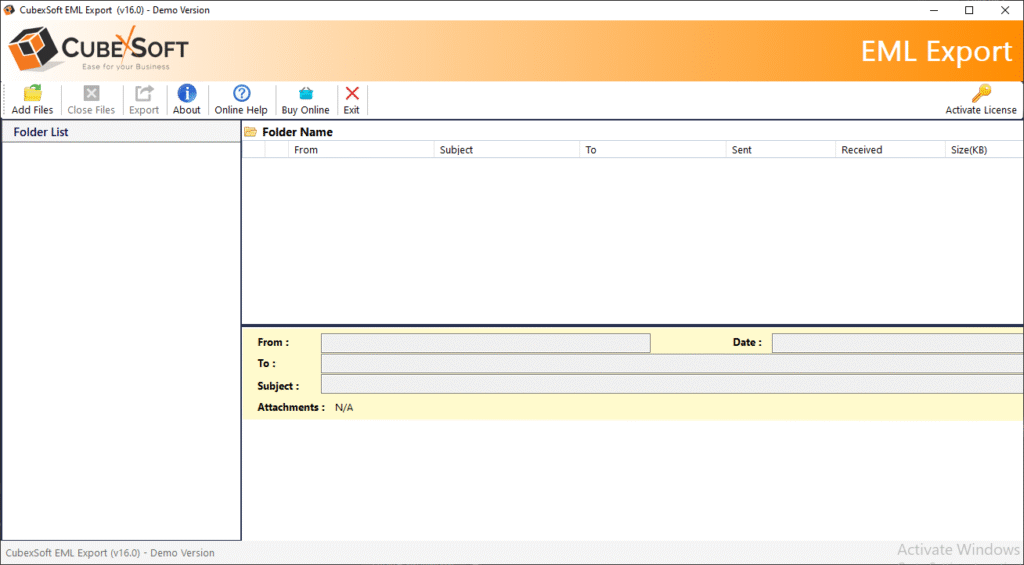
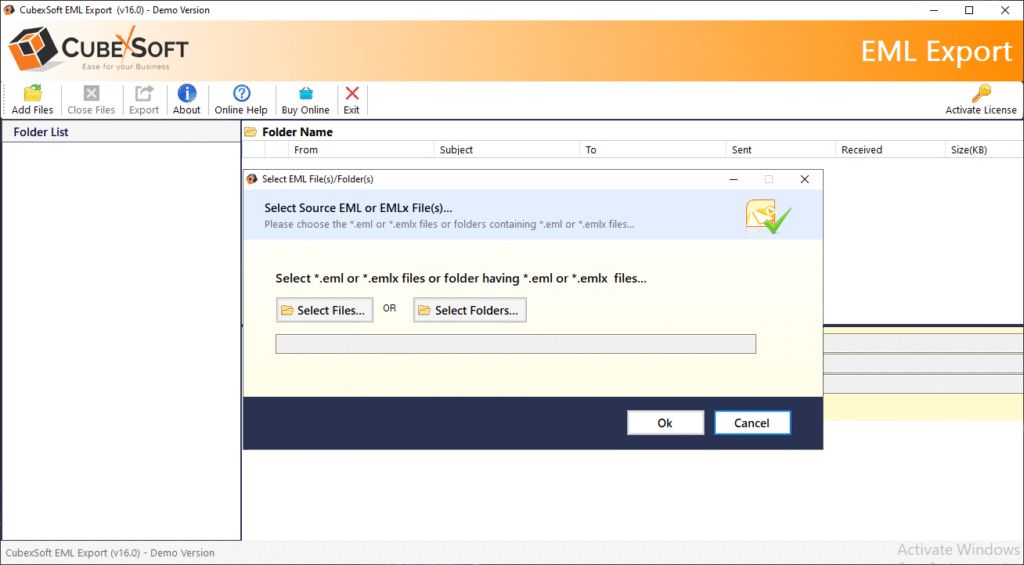
- select EML files by provided Select Files & Select Folders options from Add Files button.
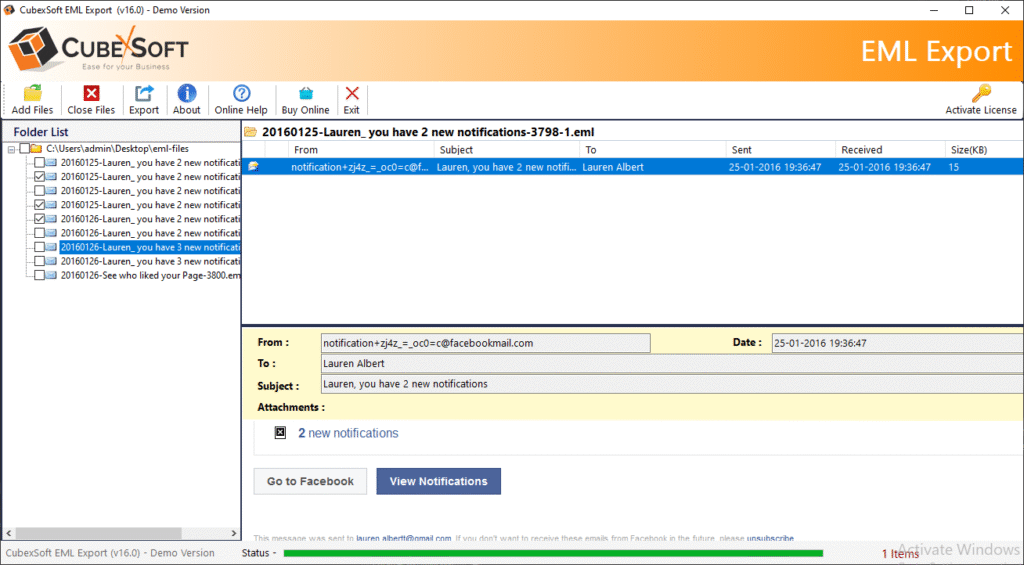
- After selecting EML files, it lists them in tree structure with checkbox. Mark & unmark for selection. As click on the mail, it will display email so, you can check them.
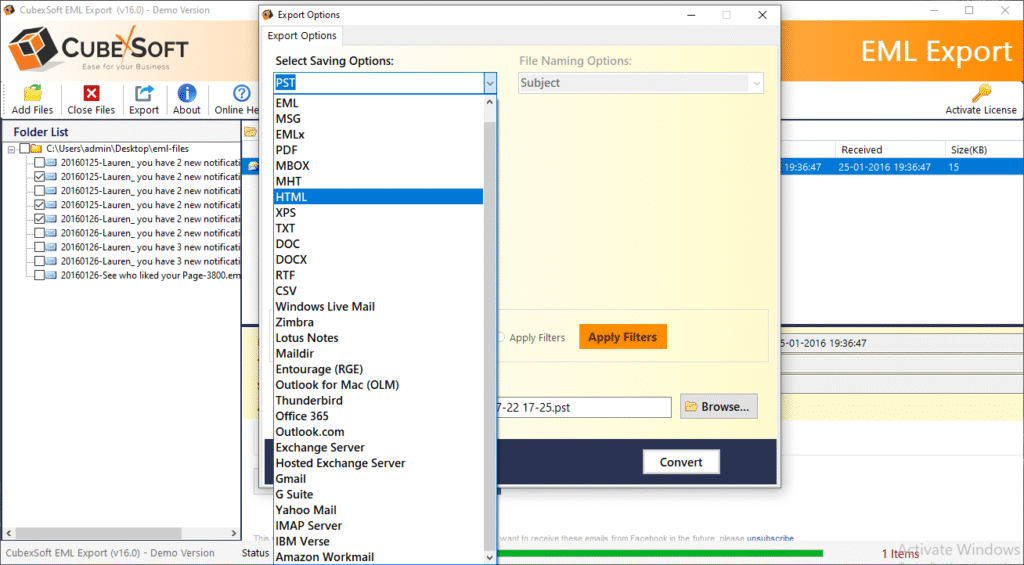
- Go with Export option and choose Yahoo Mail option from provided multiple saving options.
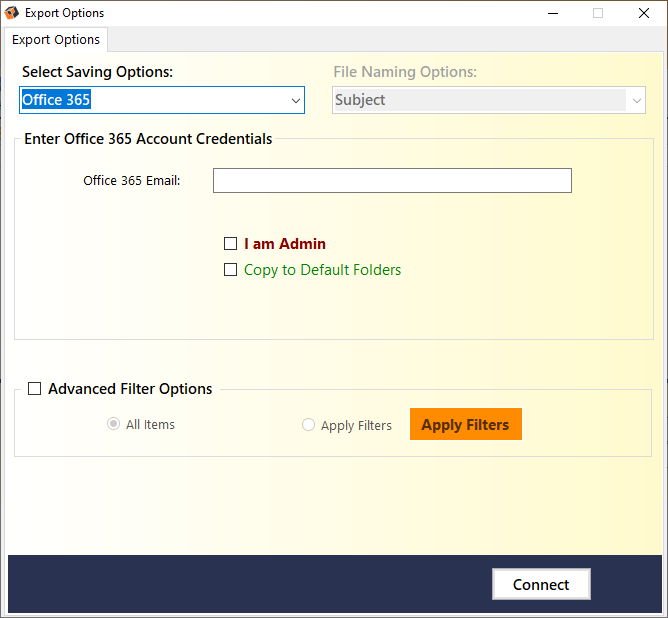
- Fill Yahoo Mail login credentials. Click on connect button to start the process.
- Migration will start with a green progress status bar and complete it with successful note.
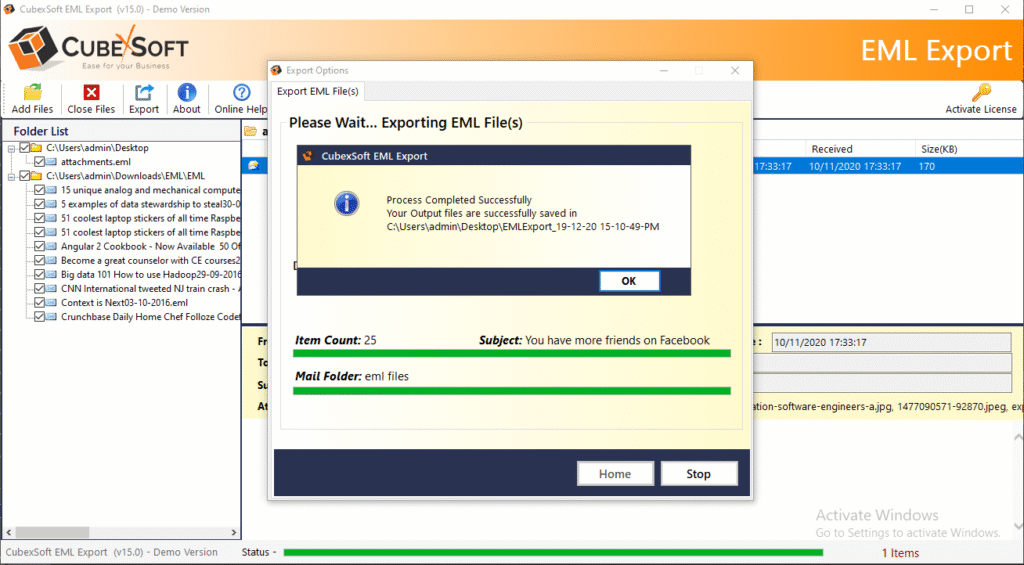
After completion the migration process, you can also check the migration result; it will complete without any change. The EML to Yahoo Mail migration tool is simple to access so any non-technical users can also upload EML files to IMAP Yahoo Mail account directly. Now lets focus on its features which help to provide accurate & without alteration of data migration outcome.
Functions of EML to Yahoo Mail Converter
- Using its batch approach, you can simply export unlimited EML files to Yahoo Mail account in one round processing.
- The tool is simple to use so anyone can simply operate it without any error.
- With its multiple preview functions (content, Hex View, Message Header, Raw Messages), you can analyse your EML files completely without any supported mail apps.
- Using its Extract option, you can save attachments, mail address & phone number of emails on your local system.
- Its multiple Filters helps to provide specific EML files migration into Yahoo Mail quickly.
- It is safe & has no limitation of EML files in size & amount.
- The tool supports all Windows OS including Windows 11 OS.
- It can convert EML files of all supported mail applications – Thunderbird, Windows Live Mail, Windows Mail, Outlook Express, eM Client, DreamMail, etc.
Conclusion
We have explained the best solution to resolve how to import EML files to Yahoo Mail account directly. Still you have any doubt or query then you can try its free demo edition that allows you to export 10 EML files to Yahoo Mail account at free of cost. Therefore, you can know how to migrate EML file into Yahoo Mail for free of cost. If you have doubt or query then contact our support team at any time.
